
GHL custom CSS, without the snippet mess
GHL custom CSS and JS normally means a pile of pasted snippets. The customizer replaces them with one loader line in Custom JS, plus one CSS line for the login page, both pasted once in Agency Settings > Company > White Label > Custom JS. Every later change goes live on its own.
- Agency Settings
- Company
- White Label
<script> your loader line from the editor </script>@import your login CSS line from the editor;Placeholders shown. Your account gives you both real lines with your key filled in.
Checkout to live, in four steps
Steps 1 and 2 are automatic. Step 3 is the fun part. Step 4 is a paste.
Choose a package and pay
Pick Quick Fix, Pipe Pro or Full Repipe and pay once by card through Stripe. No subscription, no call to book.
Get your login by email
Login emailed within minutes (max 24 hours). The email has your login address, your email and a temporary password. Check spam if it is not there.
Customize in the live editor
Log in, change the password, then pick a theme, login design, menus and widgets. Every change shows in a live preview before anything touches GoHighLevel.
Paste one line into GoHighLevel
Copy the line the editor gives you into Agency Settings > Company > White Label > Custom JS, plus one CSS line for the login page. It takes about 2 minutes, and every later change goes live without a re-install.
One GoHighLevel custom JS line, six safeguards
Allowed-domain lock
The loader only runs on the domains you list in the account, so a copied line does nothing in someone else’s GoHighLevel.
Version history
Every save is kept. Roll back to an earlier design in one click (5 versions on Quick Fix, 10 on the larger packages).
Privacy mode
An eye button blurs names, emails and phone numbers when you share your screen with a customer or record training.
No credentials shared
You paste the line yourself. Nobody asks for, or receives, your GoHighLevel login.
Cached and small
One small loader, cached by the browser, downloaded again only after you save a change.
Instant undo
Delete the line from Custom JS and GoHighLevel is back to stock on the next page load.
Try privacy mode yourself
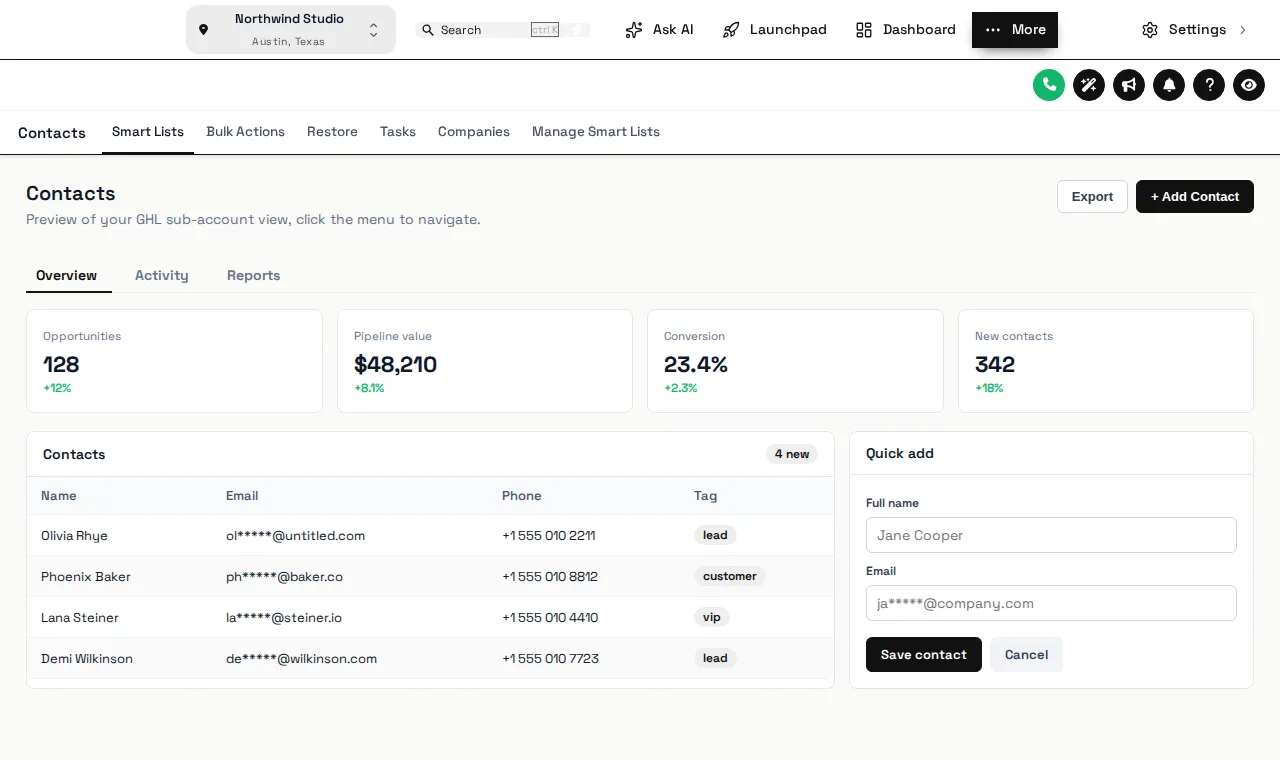
Press the eye button at the right of the header inside the frame. Handy when you are on a call with a customer and the contacts list is on screen.
Valves · tap to change the preview
Opening the valve…
Mono Studio Press the eye button at the right of the header inside the frame: names, emails and phone numbers blur. Press it again to bring them back.
Moving off copy-pasted CSS
Existing snippets keep running until you remove them. Most people rebuild what they need in the editor, check it in the preview, then delete the old code so there is one place to manage the look.
- Keep a copy of your current Custom JS and CSS before you start
- Paste the loader line below the existing code
- Rebuild each tweak in the editor and remove its snippet
- Finish with only the customizer lines left
GHL custom CSS install questions
Straight answers about the account, the install and what changes in GoHighLevel.
Still stuck? Ask a person01Where does the code go in GoHighLevel?
In Agency Settings > Company > White Label > Custom JS, plus one CSS line for the login page. The editor shows both lines with your key already filled in, ready to copy.
02Do I need to know CSS?
No. Everything is designed with buttons, pickers and a live preview. The only code you touch is the line you paste once.
03Does it change my GoHighLevel data?
No. Contacts, pipelines, workflows and settings stay exactly as they are. The customizer only changes what people see in the browser.
04How do I undo it?
Restore an earlier version from version history, or delete the line from Custom JS and GoHighLevel goes back to its stock look on the next page load.
05What is privacy mode?
An eye button in the header that blurs names, emails and phone numbers, handy when you share your screen with a customer or record a training video.
06Can someone copy my line into their own GoHighLevel?
The loader only runs on the domains you list in the account, so a copied line does nothing anywhere else.
07What happens to my old snippets?
They keep running until you remove them. Most people move what they need into the customizer and delete the old snippets so there is one place to manage.
08Do I need to re-install after each change?
No. Save in the editor and GoHighLevel picks up the new version on the next page load.
Paste one line, change it forever
Login emailed within minutes (max 24 hours). Install takes about 2 minutes. Just want the look? Quick Fix is $167.
- Login emailed within minutes (max 24 hours)
- One-time payment, lifetime access
- One line to install, about 2 minutes
Next fitting on the line
- GHL Customizer overviewWhat the GHL Customizer account is, the ten modules, the three one-time packages and how the one-line install works.
- Themes and dark mode27 complete themes (3 dark), 11 UI kits, your logo and brand colors, and GoHighLevel's stock blues remapped.
- PricingThe three one-time packages compared line by line: what each account unlocks and its limits.
- Plumbing CRM and workflowsThe pipelines and automations the snapshot installs
- How the plumbing snapshot launchesIf you also want the done-for-you automation system
GoHighLevel and HighLevel are trademarks of their owner. GHL Customizer accounts run on the independent GHL Customer Care customizer platform, sold here by the team behind the Plumbing Snapshot for GHL. We are not HighLevel, and not an official partner or reseller of it. Screenshots on this page are our own captures of the live preview engine on sample data.